
How to Access Your Game Panel
What is the Game Panel?
The HostByte Game Panel provides everything you need to manage your game server:- Server Control - Start, stop, and restart your server
- File Management - Access and edit server files
- Console Access - View server logs and send commands
- Backup System - Create and restore backups
- Plugin Management - Install and manage plugins
- Server Settings - Configure server properties
- Player Management - Manage players and permissions
- SFTP Access - Connect via SFTP for file transfers
Step 1: Log into Your HostByte Account
Access your Game Panel through your HostByte account:- To access your game panel first check your email to get your login infomation
- Sometimes the email could take a few minutes also be sure to check your spam.
- Go to game.hostbyte.net
- Enter your Email and Password from your email
- Click “Sign In” to access your dashboard
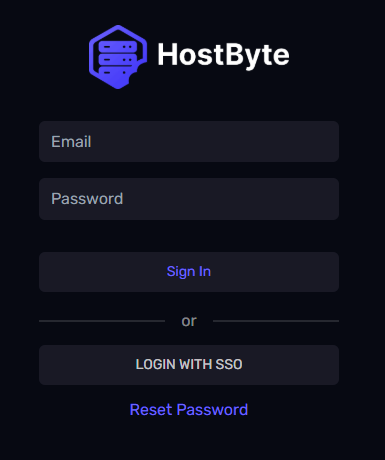
➡️ Note: If you forgot your password, use the “Reset Password” link to reset it.
Step 2: Navigate to Your Server
Find and access your game server:- After logging in, you’ll see your dashboard and your server
- Click on your server name or “Manage” button
- This will open your Game Panel
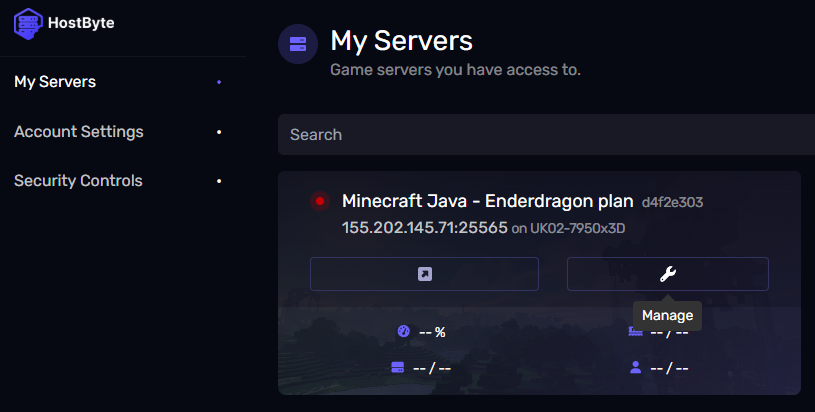
➡️ Note: If you have multiple servers, make sure you’re selecting the correct one.