
How to Use the Console
What is the Console?
The console provides real-time access to your server:- Live Logs - See server messages in real-time
- Command Execution - Send commands directly to your server
- Error Monitoring - View error messages and warnings
- Player Activity - See player joins, leaves, and actions
- Server Status - Monitor server performance and health
- Plugin Output - View plugin messages and errors
Accessing the Console
Open the console in your Game Panel:- Log into your HostByte Game Panel
- Click on your server or click the manage button
- Once in, the console will be on the main server dashboard
- if you want to pop-out the console for ease of use, click the console button
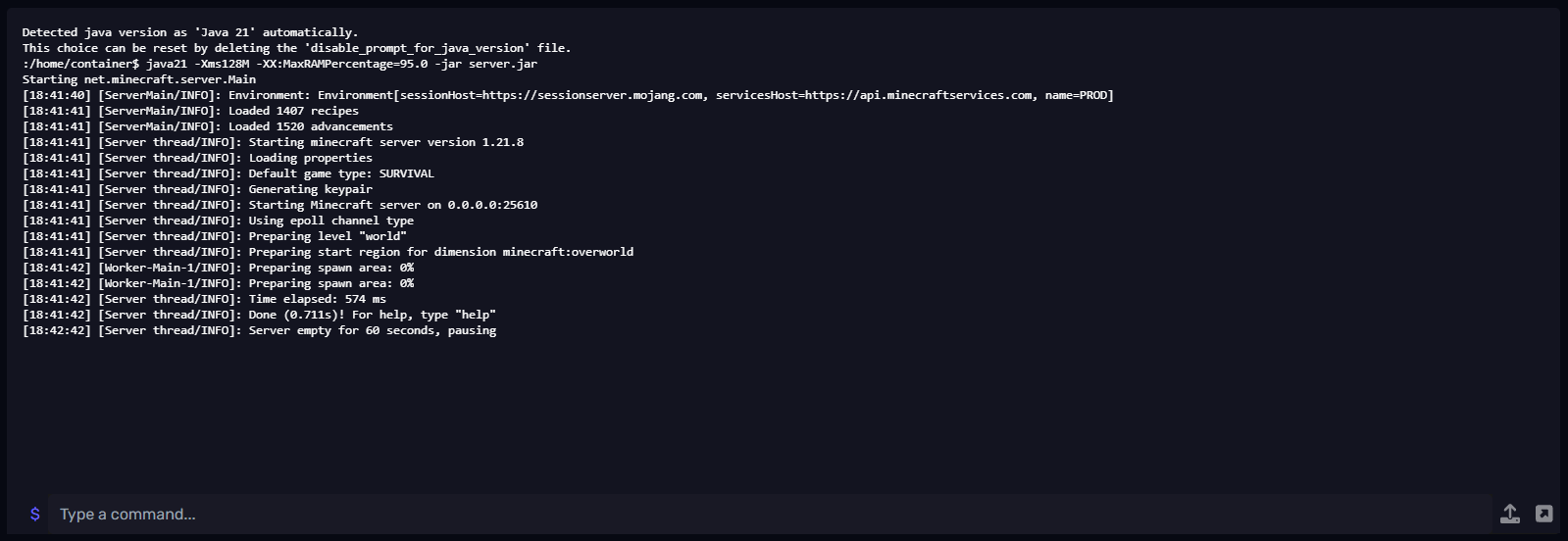
⭐ Note: The console willy only display info when your server is running, refreshing or closing the tab will reset the console. if you’re debugging keep console open or maybe use the pop-out console feature to keep the console updated.
Understanding Console Output
Console messages show different types of information:Server Messages
- Startup Messages - Server loading and initialization
- Plugin Loading - Plugins being loaded and configured
- World Loading - World files being loaded
- Ready Messages - Server ready to accept connections
Player Activity
- Player Joins - When players connect to the server