
How to Connect via SFTP
What is SFTP?
SFTP is a secure way to transfer files between your computer and your game server:- Secure Connection - Encrypted file transfers
- Direct File Access - Manage files directly on your server
- Backup Capabilities - Download important files for backup
- Plugin Management - Upload custom plugins and mods
- Configuration Editing - Edit server configuration files
- World File Access - Download or upload world files
Finding Your SFTP Connection Details
Get your SFTP connection information from your HostByte Game Panel:- Log into the HostByte Panel - How to Acess Your Game Panel
- Navigate to your game server
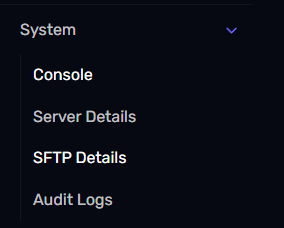
- Look for “System” in the left sidebar
- Click on “SFTP Details”
 Information You’ll Find
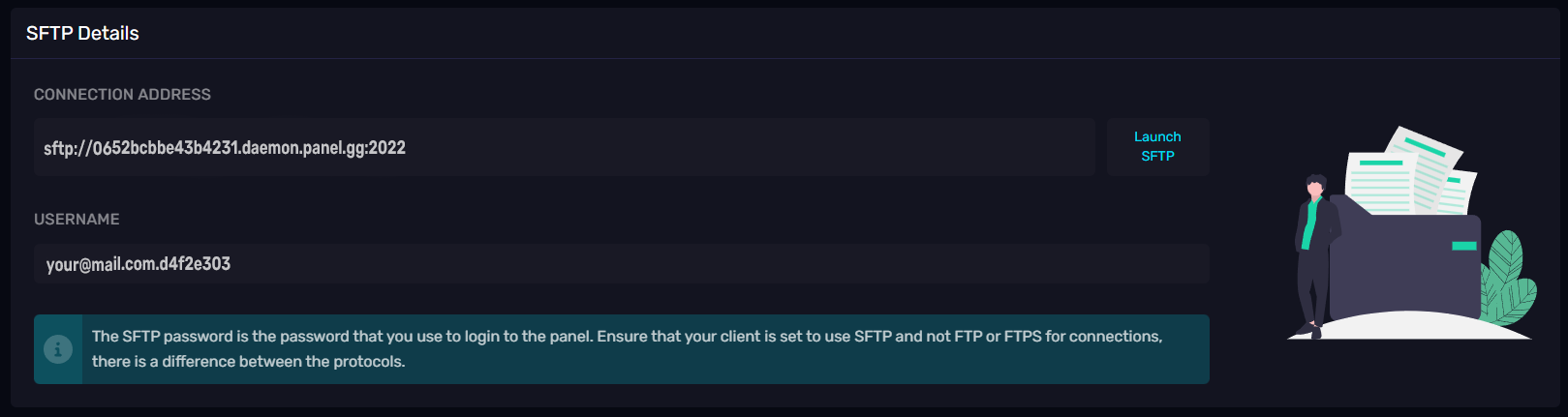
- Connection Address - Your server’s SFTP address
- Username - Your SFTP username
- Port - Usually 2022
- Password - Your password is the same as your HostByte Game Panel Login
 \
\
Connecting with FileZilla (Recommended)
FileZilla is a free, user-friendly SFTP client:Download and Install
- Download FileZilla from FileZilla Download