
Step 1: Launch Minecraft Java Edition
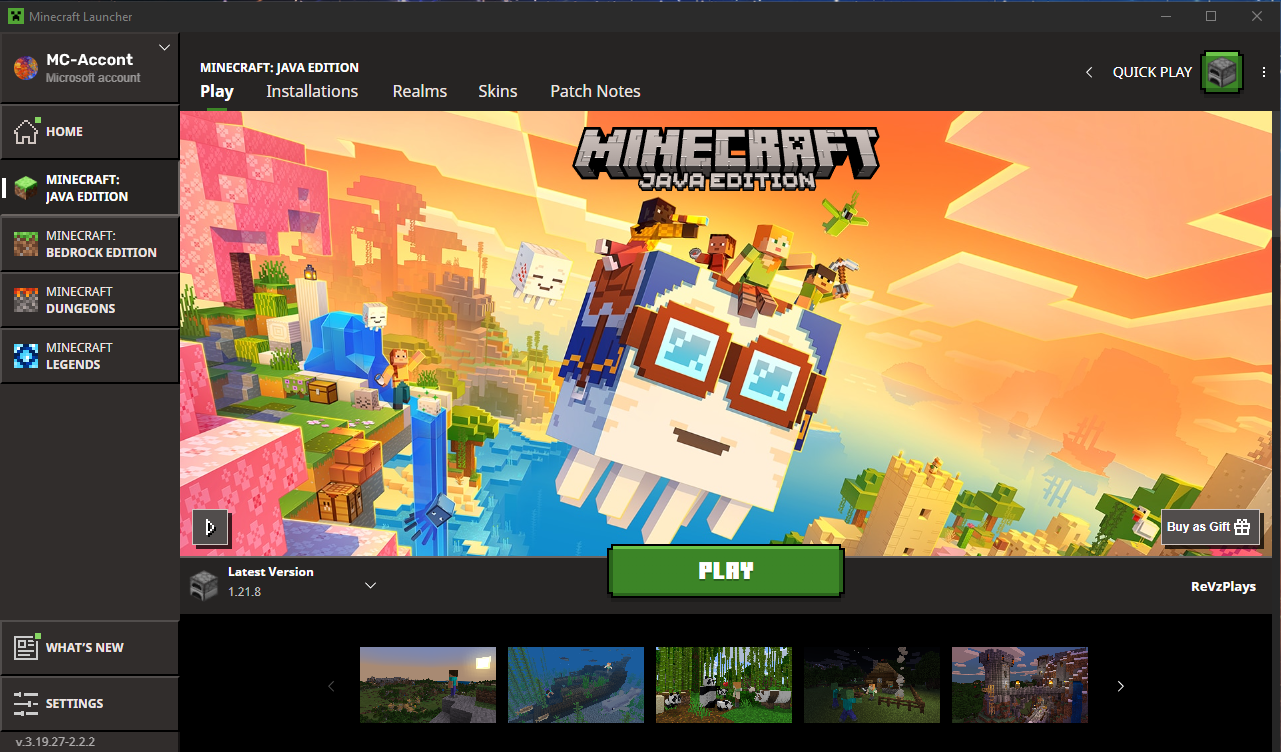
- Open the official Minecraft Launcher on your PC or laptop.
- Log in with your Microsoft account.
- Click Play to launch the version your server runs (you can choose a specific version from the launcher).
Step 2: Find Your Server IP and Port
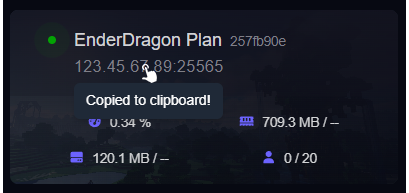
- Log in to your HostByte Game Panel.
- Click your Minecraft server to open its details.
- Locate the Server Address (IP and port), e.g.
123.45.67.89:25565.
play.yourserver.net), you can use that instead of the IP.
Step 3: Add the Server in Minecraft
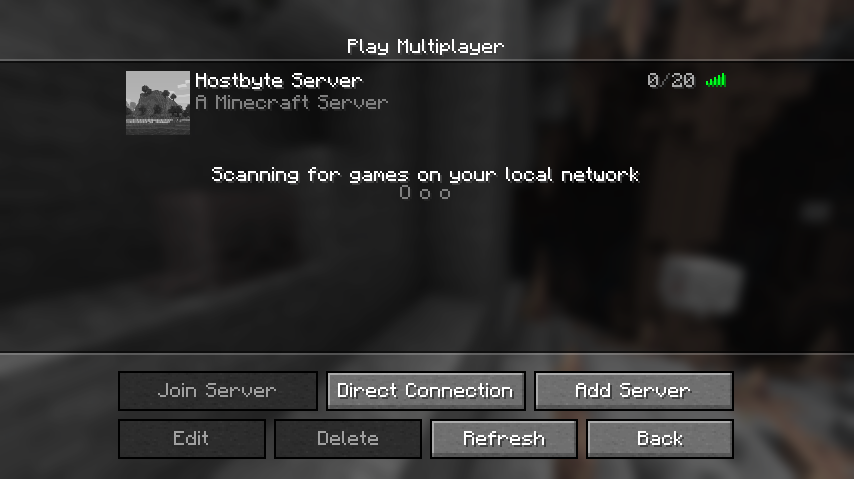
- From the main menu, click Multiplayer.
- Click Add Server.
- Enter any Server Name you like.
- Paste your Server Address (IP:Port or domain).
-
Click Done.
Step 4: Join Your Server
- Your server will appear in the list.
- Select it and click Join Server.
- You should load into your world if the server is online and the version matches.
⚠️ Common Connection Issues
“Can’t Connect to Server”
- Double-check the IP/Port or your custom domain.
- Confirm the server is Online in the Game Panel.
- DNS changes can take time—wait up to 30 minutes if you just set a new domain record.
“Outdated Client” or “Outdated Server”
- Your Minecraft version doesn’t match the server.
- In the Launcher, select the correct version profile and click Play.
“Connection Timed Out”
- Check your internet connection and restart your router if needed.
- Temporarily disable local firewall/antivirus to test (then re-enable).
- Try again later if there’s scheduled maintenance (see status link below).
“Incompatible Mods”
- Check to make sure the server and client mods are the same.
- Make sure all mods are on the same version.
- In some cases this could happen if you have client side mods installed on the server.
Security Tips
- Share your IP/domain only with people you trust.
- Use LuckPerms and EssentialsX to manage ranks and commands safely.
- Keep your server jar and plugins up to date.
Getting Help
- Knowledge Base: Browse more Java guides.
- Support Tickets: Join our discord server below to open a support ticket.
- Discord: Join our community discord here: HostByte Discord.
- Status Page: Check maintenance/outages: status.hostbyte.net.